HOT
Paint Tiles
Press Play to load the game.
Player
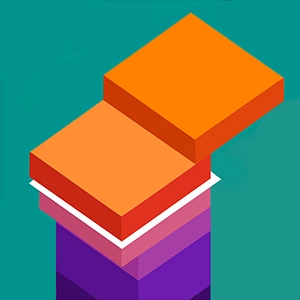
Game overview
Paint Tiles is a hot experience you can play free in your browser on gamelunarnova. The game loads inside our on-demand player — read this guide first, then press Play when you are ready to start.
Browser releases like Paint Tiles are popular because they remove install friction. You can launch a session from a bookmarked tab, share the link with friends, and switch devices without syncing an app store account. Performance depends on your hardware and connection, but most modern laptops and phones handle HOT titles smoothly when the browser is up to date.
On gamelunarnova, we pair every embed with original context so you know what kind of challenge to expect. Paint Tiles fits the HOT category, which means it emphasizes the mechanics and pacing typical of that genre — whether that is thoughtful planning, quick reflexes, or pattern recognition.
Before you play, skim the controls and tips sections below. They explain input methods, common features, and strategies that help first-time players avoid early frustration. If the game includes audio, unmute after loading; if it saves progress locally, avoid clearing browser data mid-session unless you intend to reset.
We also monitor broken embeds and outdated links. If Paint Tiles fails to load after you press Play, use the Reload button or contact [email protected] with the game name so we can investigate.
Publisher notes
Paint Tiles is a very interesting puzzle game. You only need to slide the square to color the pattern. The square will slide in a straight line. You need to move the square according to the given route and draw the figure. It is worthwhile Note that you can repeat the route you have traveled, and this will not affect your passing the level! Paint Tilesd is a simple puzzle game. Drag tile, it will slide straightly. But you have to think about how to paint all. Do not leave an empty place. But we have good news that is you could repeat your road.How to play — controls
Use keyboard and mouse on desktop, or touch controls on phones and tablets. If buttons feel unresponsive, tap inside the game frame once to focus input, then try Reload on the player bar.
For Paint Tiles specifically, open the in-game help or pause menu after loading — many developers list key bindings there. On mobile, rotate to landscape if the UI feels cramped; on desktop, fullscreen mode is available from the player toolbar above.
Game features
This browser title focuses on accessible, instant play with clear goals and replay value. Visual themes vary by game, but the web player keeps loading limited until you opt in.
Paint Tiles may also include scoring systems, achievements, or level selectors visible only after the player loads. Take a moment to explore menus instead of rushing into the hardest mode — browser games often hide tutorials behind a “How to play” button.
Tips and strategies
Start on easy modes when available, adjust browser zoom if UI elements feel small, and switch to fullscreen for better visibility during precise sequences.
General advice for HOT games on gamelunarnova: warm up with a short session, note what costs time or lives, and adjust difficulty downward if you are learning mechanics for the first time. When you finish, browse related categories or search for similar titles curated by our editorial team.