ACTION
Eye Art
Press Play to load the game.
Player
Game overview
Eye Art is a action experience you can play free in your browser on gamelunarnova. The game loads inside our on-demand player — read this guide first, then press Play when you are ready to start.
Browser releases like Eye Art are popular because they remove install friction. You can launch a session from a bookmarked tab, share the link with friends, and switch devices without syncing an app store account. Performance depends on your hardware and connection, but most modern laptops and phones handle ACTION titles smoothly when the browser is up to date.
On gamelunarnova, we pair every embed with original context so you know what kind of challenge to expect. Eye Art fits the ACTION category, which means it emphasizes the mechanics and pacing typical of that genre — whether that is thoughtful planning, quick reflexes, or pattern recognition.
Before you play, skim the controls and tips sections below. They explain input methods, common features, and strategies that help first-time players avoid early frustration. If the game includes audio, unmute after loading; if it saves progress locally, avoid clearing browser data mid-session unless you intend to reset.
We also monitor broken embeds and outdated links. If Eye Art fails to load after you press Play, use the Reload button or contact [email protected] with the game name so we can investigate.
Publisher notes
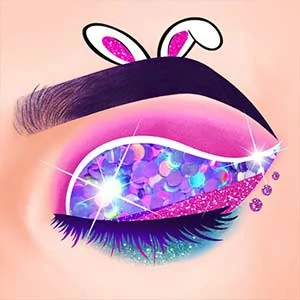
Eye Art is an online Kids game, it's playable on all smartphones or tablets, such as iPhone, iPad, Samsung and other Apple and android system. Eye makeup is very important for every girl. Have you ever dreamed of becoming a professional eye makeup designer? In the Eye Art game, you will play this role and choose suitable eye makeup for customers. You only need to slide the mouse according to the instructions in the game to complete dozens of different eye makeup, each eye makeup has dazzling colors and unique patterns, as your skills continue to improve, more creative eye makeup will be unlocked.How to play — controls
Action and arcade games frequently bind movement to WASD or arrows and actions to spacebar, Z/X, or mouse buttons. Touch builds may use virtual joysticks — calibrate your grip before long sessions.
For Eye Art specifically, open the in-game help or pause menu after loading — many developers list key bindings there. On mobile, rotate to landscape if the UI feels cramped; on desktop, fullscreen mode is available from the player toolbar above.
Game features
Fast feedback loops, combo multipliers, enemy waves, and high-score tables define the genre. Sessions are usually short but intense, ideal for quick breaks.
Eye Art may also include scoring systems, achievements, or level selectors visible only after the player loads. Take a moment to explore menus instead of rushing into the hardest mode — browser games often hide tutorials behind a “How to play” button.
Tips and strategies
Prioritize survival over flashy moves early on, learn enemy patterns, and use pause or mute controls if you need to step away without losing progress where supported.
General advice for ACTION games on gamelunarnova: warm up with a short session, note what costs time or lives, and adjust difficulty downward if you are learning mechanics for the first time. When you finish, browse related categories or search for similar titles curated by our editorial team.